
NV Casino App
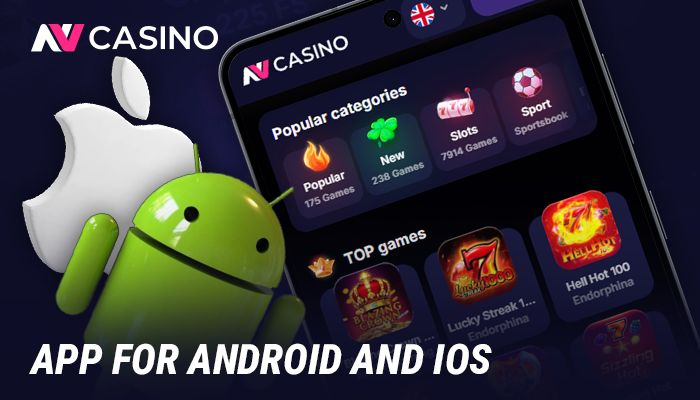
Players can access the NV Casino app on both Android and iOS devices. Those who prefer not to download the app can visit the casino through a mobile browser instead. The casino lobby brings together slot games, table games, and live dealer games. On a phone or tablet, players are able to sign up, make deposits, claim bonuses, and play games.
In this article
Is There an Official NV Casino App for Android and iOS?
NV Casino offers apps for Android and iOS devices. Both apps connect to the same lobby as desktop users, and the Android and iOS versions have identical features.
- Android and iOS support: Official apps exist for both operating systems;
- Regional access: The apps are available in [конкретная страна]. Services and payment options vary by country;
- Supported currencies: It accepts both fiat currencies and cryptocurrencies;
- Core features: Registration, deposits, withdrawals, promotions, and the full game lobby are all accessible through the app.
Casino Formats Available on Mobile
Players use the NV Casino app or mobile site to access games and tables. Each venues offers every available game and table format.
| Format | Examples | Key Mobile Features |
|---|---|---|
| Slots | Sweet Bonanza 1000, Gates of Olympus 1000 | Bets from €0.10, full RNG access |
| Table Games | Blackjack, Roulette, Baccarat, Poker | Rule access in-game, adjustable stake levels |
| Live Dealer Games | Live Blackjack, Live Roulette, Live Baccarat | Real-time streaming, on-screen betting controls |
Game Providers and Software on the App
The NV Casino app has games from eight studios. Players can use a filter to find games by provider.
- Pragmatic Play;
- Novomatic;
- Endorphina;
- Gamzix;
- BetGames;
- Ezugi;
- Vivo Gaming;
- TaDa Gaming.
Welcome Bonus and Promotional Package on Mobile
The NV Casino app provides a package. With every deposit, users receive a reward. Each offer comes with specific terms and conditions.
- First deposit. Deposit from €10 to receive a 100% bonus up to €500 plus 100 free spins on Joker Stoker;
- Second deposit. Choose 75% or 125% up to €500, with 50 free spins included;
- Total package. Collect up to €2,000 and 225 free spins combined, subject to wagering requirements and activation rules.
Mobile Casino Website vs App
The mobile site and the app use the same NV Casino account: players have the same balance and the same progress on both.
| Aspect | Mobile Website | Official App |
|---|---|---|
| Access Method | Opens in any browser without installation | Requires download on Android or iOS |
| Game Catalog | Slots, table games, live dealer games | Slots, table games, live dealer games |
| Bonuses and Loyalty | Full welcome package and loyalty program available | Full welcome package and loyalty program available |
| Payment Methods | All supported methods accessible | All supported methods accessible |
| Performance | Depends on browser and connection | More stable with native installation |
| App-Exclusive Promotions | Not available | Dedicated app-only bonus promotions available |
Mobile Payments, Deposits, and Withdrawals
NV Casino offers over 10 deposit and withdrawal methods, with available options varying by the player's location.
- Deposit methods: Visa, Mastercard, Maestro, Skrill, Neteller, MiFinity, Paysafecard, Rapid Transfer, and cryptocurrencies including Bitcoin, Ethereum, Tether, Litecoin, USD Coin, Dogecoin, TRON, and Binance Pay;
- Deposit minimums: €10 for most methods, with Bitcoin requiring a €30 minimum;
- Withdrawal options: cards, e-wallets, bank transfer, and crypto;
- Withdrawal minimums: €10 for e-wallets, €35 for cards, and €50 for bank transfers;
- Processing times: e-wallets process within 24 hours, cards take 1–5 business days, and bank transfers take 3–10 business days.
How to Use the NV Casino App on Android
Android users can download a mobile app to play NV Casino games, claim bonuses, and manage their accounts.
- Finding the download link. Visit the official NV Casino website and locate the Android app download link;
- Installing the app. Open the downloaded file and complete the installation on the Android device;
- Accessing an account. Create a new account or log in with existing credentials;
- Selecting a currency. Choose a preferred currency from the available options during setup;
- Completing the profile. Fill in all required profile details to qualify for bonuses;
- Activating the welcome bonus. Open the promotions section and activate the offer before making the first deposit;
- Making a deposit. Submit the first deposit directly through the app's payment section;
- Tracking activity. Browse game categories and monitor balances, transactions, and active promotions inside the app.
How to Access the NV Casino App on iOS Devices
iOS users can either download the app or use the mobile site, and both options are compatible with their devices.
- Find the link. Visit the official NV Casino website and locate the iOS app download link or setup instructions;
- Install or launch. Install the dedicated app or open the optimized web version. Regional availability determines which option applies;
- Register or sign in. Create a new account or log in with existing credentials;
- Set currency. Select a preferred currency where the option is available;
- Deposit funds. Use your iPhone or iPad to complete a deposit through any listed method;
- Claim the welcome offer. Activate the new-player bonus for eligible accounts;
- Open games. Browse slots, table games, and live casino games directly from the lobby;
- Manage your account. Check balances and check active promotions from your iOS device.